
Clone Master
Screenshots
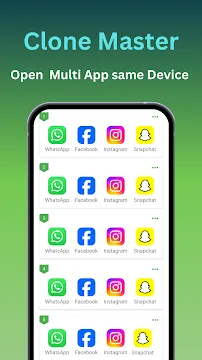
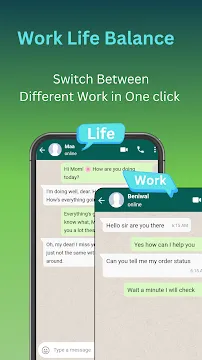
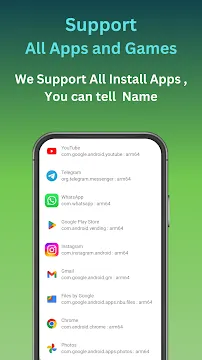
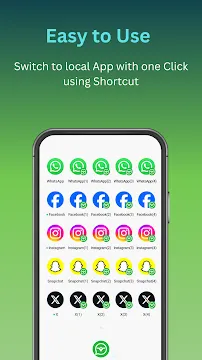
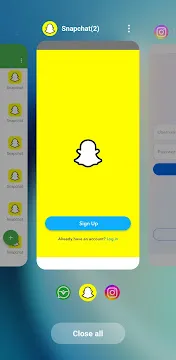
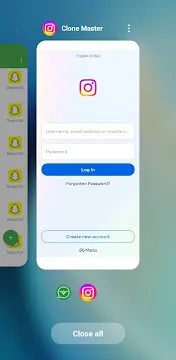
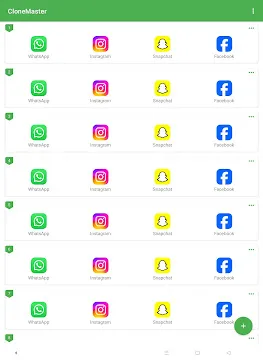
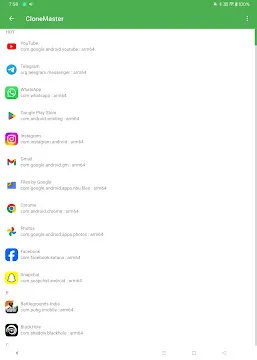
Clone Master App For Android provides a practical solution for people who need to manage multiple accounts on a single device. Many social media users and gamers struggle to switch between different profiles throughout the day. This application allows you to create exact copies of your favorite tools so you can stay logged into several accounts at once. It eliminates the need to sign out and sign back in repeatedly.
The software creates a private and isolated space within your smartphone memory. Each cloned application runs independently from the original version. This means your data stays separate and secure for every account you use. Whether you want to balance your work life with your personal life or play a game with two different characters, this tool makes the process easy. It focuses on stability and speed to ensure your phone remains responsive.
Run Multiple Social Accounts Simultaneously
Clone Master allows you to clone popular social media applications with a single tap. You can manage your business profile and your personal profile on the same screen. This is helpful for digital marketers who need to monitor several client pages at once. You no longer need to carry two separate phones to stay connected with different circles of friends. The app handles the notifications for every account so you stay updated in real time.
Privacy remains a top priority when you run multiple accounts. Each cloned instance operates in a “sandboxed” environment. This prevents data from leaking between your different profiles. You can even set up different notification sounds for each clone. This helps you identify which account needs your attention without even looking at your screen. It keeps your digital life organized and efficient.
Optimize Your Gaming Experience
Gamers often use Clone Master to gain an advantage in their favorite mobile titles. You can log into two different game accounts to trade items or support your main character. This technique helps players level up faster and complete difficult challenges more easily. The application supports a wide range of modern games and ensures they run without lag. It manages your system resources carefully to prevent the device from overheating.
The app also supports multi-instance synchronization for specific types of games. This means you can perform the same action across multiple windows at the same time. It saves a lot of manual effort during repetitive tasks. Many users find this feature essential for strategy games and role-playing adventures. You get the full desktop-style gaming experience right on your mobile device.
Simple Installation and User Interface
The design of the application focuses on simplicity and ease of use. You do not need technical knowledge to start cloning your software. After you open the tool, you see a list of all compatible apps on your phone. You simply press the plus icon next to the one you want to copy. The system creates the clone in seconds and places a new icon on your dashboard.
You can also customize the icons of your cloned apps to avoid confusion. The software lets you change the name or the color of the icon so you know exactly which account is which. This level of customization helps you maintain a clean and professional mobile environment. Even beginners can navigate the settings and set up their first clone in less than a minute.
Advanced Privacy and Security Features
Security is a major concern for anyone handling sensitive account information. Clone Master includes an “Incognito Installation” feature that hides the cloned app from your main menu. This adds an extra layer of protection if someone else uses your phone. You can also lock the entire application with a PIN or a fingerprint scan. This ensures that only you can access your private accounts.
The software does not collect your personal login data. It simply provides the environment for the apps to run. You can feel confident that your passwords and messages remain private. Additionally, it offers a “Lite” mode for devices with low memory. This mode reduces the impact on your hardware while still keeping your accounts active in the background.
Manage System Resources and Battery Life
Running many applications at once can drain your battery quickly. Clone Master includes a specialized optimization engine to solve this problem. It puts inactive clones into a sleep state when you are not using them. This prevents unnecessary background activity from eating up your power. You can enjoy the benefits of multiple accounts without worrying about your phone dying mid-day.
The app also provides a clear view of how much RAM each clone uses. You can close specific instances if you need to boost your phone’s speed for other tasks. It gives you total control over your mobile performance. By managing these resources effectively, the tool ensures a smooth experience even on mid-range smartphones. You get the power of two devices within the frame of one.
Keep Your Data Synced and Updated
Updating your cloned applications is a straightforward process. When the original app receives an update, the cloned version can often adopt those changes automatically. This ensures you always have access to the latest features and security fixes. You do not have to delete and recreate your clones every time a developer releases a patch. It saves you time and protects your settings.
The software also offers cloud backup options for your cloned data. If you switch to a new phone, you can move your accounts without losing your progress or chat history. This makes it a long-term solution for busy professionals and dedicated gamers. The tool remains reliable and consistent throughout your daily routine. It simplifies the way you interact with your digital world every single day.
Final Thoughts
Clone Master App For Android is an essential tool for anyone looking to maximize their mobile productivity. It offers a secure and stable way to manage multiple accounts without the hassle of constant logging. The interface is easy to understand, and the resource management features keep your phone running fast. With its focus on privacy and gaming optimization, it addresses the needs of modern smartphone users. You can separate your professional tasks from your personal hobbies with ease. This application transforms your single device into a multitasking machine that fits your lifestyle.







